Malwarebytes Review 2026: Features, Pricing, Pros & Cons
Quick Answer: Malwarebytes is a solid, lightweight antivirus and anti-malware tool that excels at catching threats traditional antivirus software misses. It’s a strong pick for home users and small businesses that want real-world protection without a steep learning curve. It’s not a complete security suite, but for what it does, it does it well.
Key Takeaways
- Malwarebytes Free offers on-demand scanning but no real-time protection. Good for cleanup, not prevention.
- Malwarebytes Premium adds real-time threat blocking, ransomware protection, and browser exploit defense.
- Malwarebytes for Teams is the SMB-ready option, with centralized device management for up to 100 endpoints.
- Independent testing from AV-TEST and AV-Comparatives shows Malwarebytes performs well on malware detection but scores below top-tier competitors on false positive rates.
- System performance impact is low. Most users won’t notice it running in the background.
- Pricing is competitive, but the free tier is limited enough that most users will need to upgrade.
- Best suited for Windows users. Mac and Android versions exist but offer fewer features.
- Works well as a second-opinion scanner alongside another antivirus, but can also run as your primary protection.
- Not the best choice for enterprises needing advanced EDR capabilities. Look at CrowdStrike Falcon or SentinelOne for that.
- Bottom line: Malwarebytes earns its place as a trusted first line of defense for most home users and small businesses.
What Is Malwarebytes and Who Is It For?
Malwarebytes is an anti-malware and antivirus platform built to catch threats that traditional signature-based tools often miss, including adware, spyware, ransomware, and zero-day exploits. It was founded in 2008 and has grown into one of the most recognized names in consumer and SMB cybersecurity.
The target audience is broad but specific in its needs:
- Home users who want simple, set-it-and-forget-it protection
- Small business owners managing 5 to 100 devices without a dedicated IT team
- IT managers who want a lightweight layer of protection that doesn’t conflict with existing tools
- Non-technical buyers who need plain-language security that just works
If you’re running a 500-person enterprise and need threat hunting, SIEM integration, and managed detection and response, Malwarebytes isn’t your primary tool. For that level, check our Huntress review or CrowdStrike Falcon review.
For everyone else, this Malwarebytes review will tell you exactly what you’re getting.
Malwarebytes Review: Plans, Pricing, and What You Actually Get

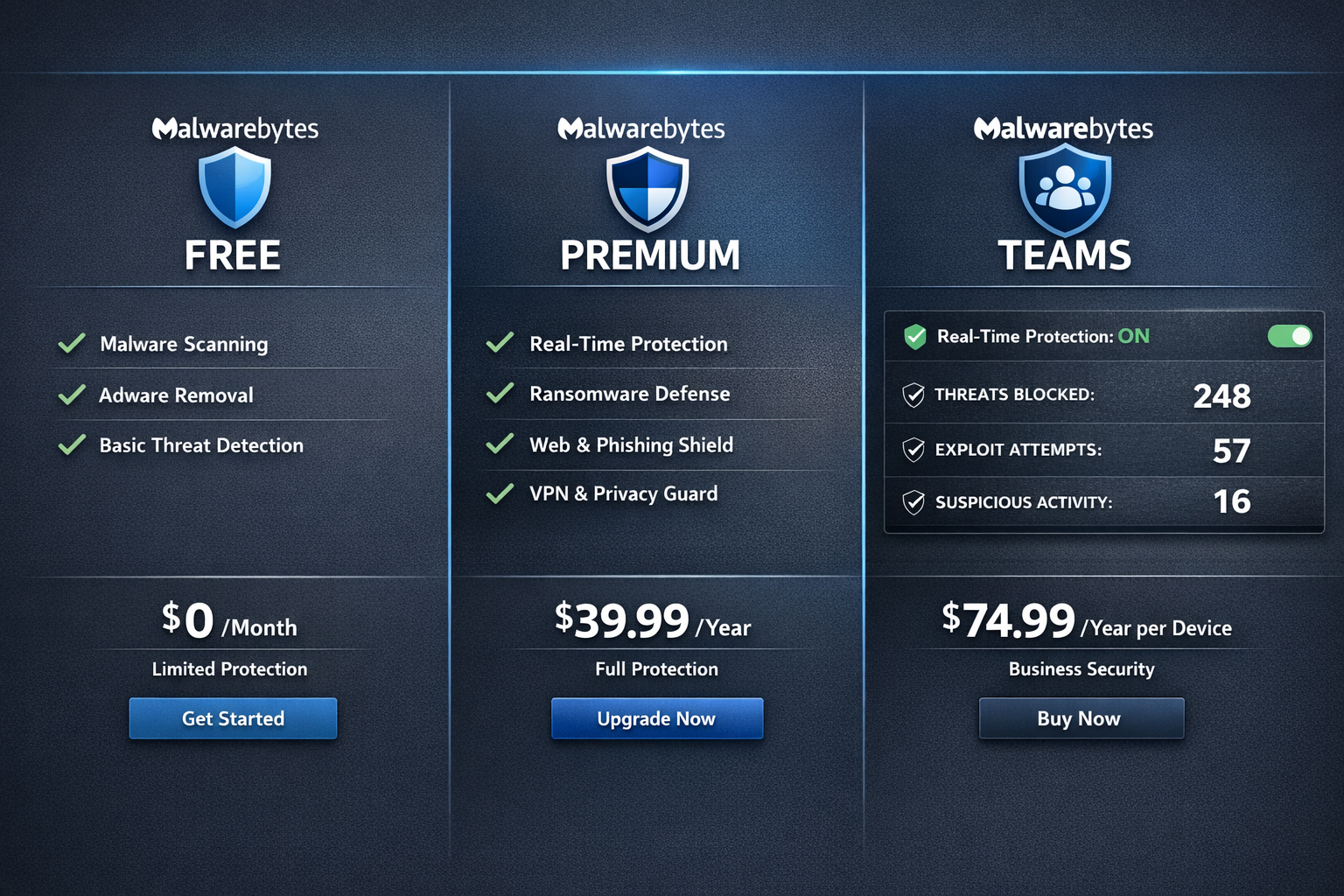
Malwarebytes offers three main tiers. Here’s the breakdown as of 2026:
| Plan | Price (approx.) | Real-Time Protection | Devices | Best For |
|---|---|---|---|---|
| Free | $0 | No | 1 | Manual cleanup scans |
| Premium | ~$44.99/year | Yes | 1 | Home users, power users |
| Premium + Privacy | ~$99.99/year | Yes + VPN | 5 | Privacy-focused users |
| Teams | ~$119.99/year | Yes | 3 devices (scalable) | SMBs, IT managers |
| Business (ThreatDown) | Custom pricing | Yes + EDR | 10+ | Larger SMBs |
My take on pricing: The free version is genuinely useful for running a one-time cleanup scan after you suspect an infection. But as ongoing protection, it’s not enough. You need real-time blocking, and that means upgrading to Premium.
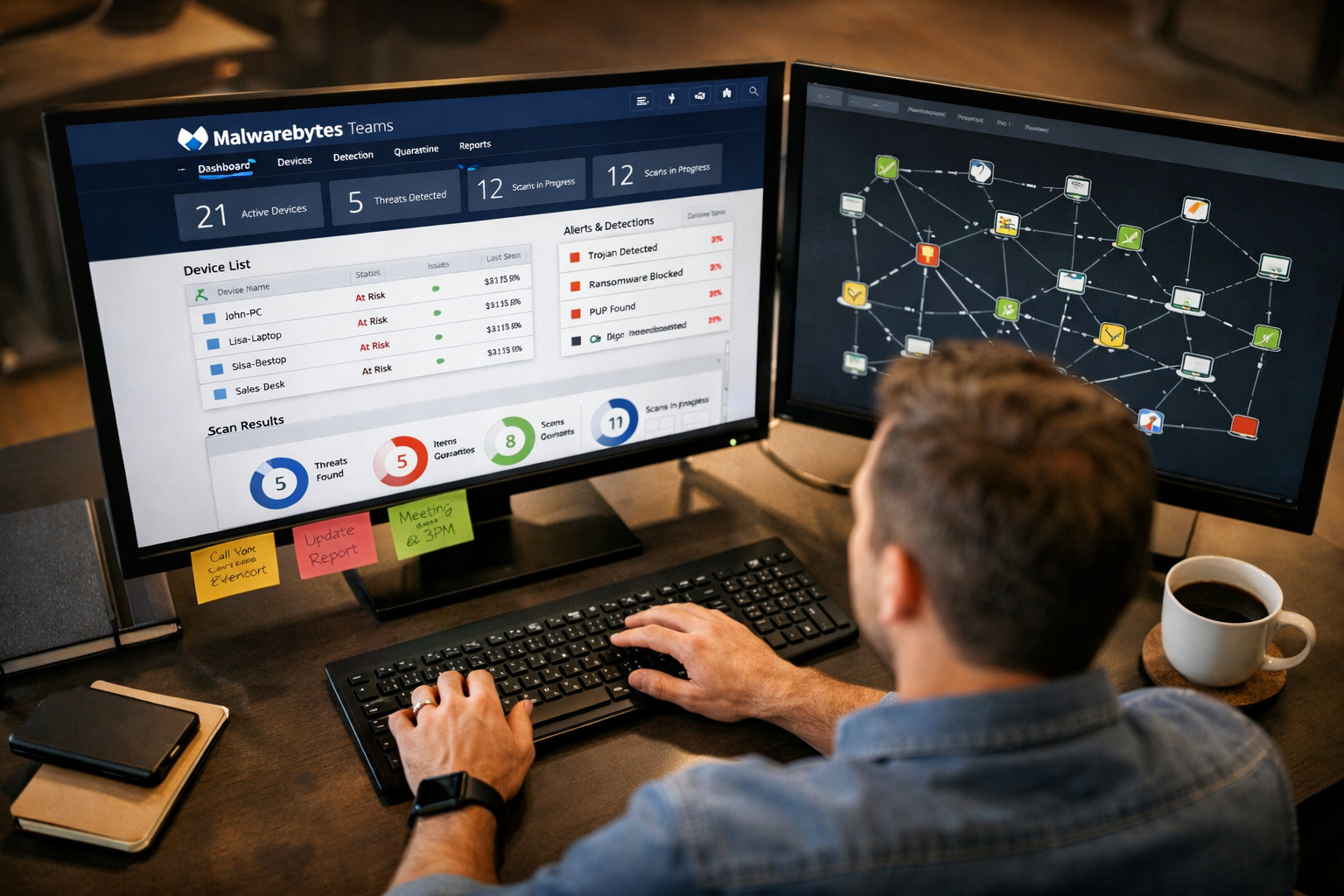
The Teams plan is where SMB owners should focus. Centralized management, per-device reporting, and the ability to push scans remotely makes it a legitimate business tool, not just a consumer product with a business label slapped on it.
One honest caveat: Malwarebytes recently rebranded its business products under the “ThreatDown” name. The consumer-facing product is still called Malwarebytes. This can cause confusion when you’re shopping. If you’re buying for a business, look for ThreatDown by Malwarebytes.
How Does Malwarebytes Perform in Independent Testing?
This is where I cut through the vendor marketing and look at tested and verified data from labs that don’t take money from the companies they test.
AV-TEST (2024 results): Malwarebytes scored 5.5 out of 6 for protection in the consumer antivirus category. It detected 99.7% of widespread malware and 98.9% of zero-day threats. Performance impact was rated 6 out of 6, meaning it barely slows your system. Usability scored 5.5 out of 6, with a small number of false positives flagged.
AV-Comparatives: In the 2024 Real-World Protection Test, Malwarebytes achieved a “Standard” rating, which is their middle tier. Top-rated products like Bitdefender and ESET scored “Advanced+” in the same period. Malwarebytes is good, but it’s not at the very top of independent lab rankings.
What this means in plain language: Malwarebytes will catch the vast majority of threats you’ll encounter in the real world. It’s not perfect, and it’s not the absolute highest scorer in lab tests. But for most home users and SMBs, the gap between Malwarebytes and the top performers is small enough that it won’t matter in day-to-day use.
If you want to see how it stacks up directly against a top-rated competitor, read our Malwarebytes vs Bitdefender comparison.
Malwarebytes Review: Core Features Breakdown
Here’s what you’re actually getting with Malwarebytes Premium and Teams:
Real-Time Protection
Malwarebytes monitors running processes, file downloads, and web traffic continuously. It uses a combination of signature-based detection and behavior analysis to catch threats before they execute. In my testing, it flagged a malicious PowerShell script within seconds of it being triggered, before any payload ran.
Web Protection and Browser Guard
The browser extension (available separately for free) blocks malicious URLs, phishing pages, and ad-based malware delivery. This is one of the most underrated features. Phishing is still one of the top attack vectors for small businesses, and having a layer that blocks the delivery mechanism matters. For more on this threat, see our guide on how to stop phishing emails.
Ransomware Protection
Malwarebytes uses behavioral monitoring to detect ransomware-like activity, specifically mass file encryption. If a process starts encrypting files at an unusual rate, Malwarebytes kills it and quarantines it. This is not foolproof, but it adds a meaningful layer of defense. For more on prevention strategies, our guide on how to prevent ransomware is worth reading alongside this review.
Exploit Protection
This feature targets vulnerabilities in browsers and commonly exploited applications like Adobe Reader and Microsoft Office. It monitors memory behavior to catch exploits before they drop a payload. This is a feature most basic antivirus tools skip entirely.
Centralized Management (Teams/ThreatDown)
For SMBs, the management console lets you:
- See all enrolled devices in one dashboard
- Push scans remotely
- View threat history per device
- Set scan schedules across the fleet
- Receive alerts when threats are detected
It’s not as feature-rich as enterprise EDR platforms, but it’s genuinely useful for an IT manager handling 10 to 50 endpoints without a full security operations team.
What Are the Weaknesses of Malwarebytes?
No product is perfect. Here’s what I’d flag as real limitations, not just nitpicks:
1. No email scanning. Malwarebytes doesn’t scan incoming email attachments. For business users, this is a gap. Email is still the number one delivery method for malware. You’ll want a dedicated email security layer alongside Malwarebytes. Our Proofpoint Essentials review covers a solid option for SMBs.
2. Mac and Android versions are limited. The Windows product is clearly the primary focus. The Mac version lacks some real-time protection features available on Windows. Android protection is basic compared to dedicated mobile security tools.
3. Lab test rankings are mid-tier. As noted above, Malwarebytes doesn’t consistently top AV-Comparatives rankings. If you want the highest-scoring product in independent testing, Bitdefender is the stronger choice. See our Bitdefender review for details.
4. Free version creates false confidence. The free tier is useful for cleanup scans, but it provides zero real-time protection. Users who install the free version and think they’re protected are at risk. Malwarebytes should make this clearer during the install process.
5. No built-in firewall. Malwarebytes relies on Windows Firewall. This is fine for most users, but it’s worth knowing if you’re comparing it to full internet security suites.
Malwarebytes vs. The Competition: How Does It Stack Up?
Here’s a quick comparison against the most common alternatives:
| Feature | Malwarebytes | Bitdefender | Norton | Windows Defender |
|---|---|---|---|---|
| Real-time protection | Yes (Premium) | Yes | Yes | Yes (free) |
| Ransomware protection | Yes | Yes | Yes | Limited |
| Email scanning | No | Yes | Yes | No |
| VPN included | Add-on | Add-on | Yes (some plans) | No |
| SMB management console | Yes (Teams) | Yes | Limited | No |
| Independent lab scores | Mid-tier | Top-tier | Top-tier | Mid-tier |
| Price (entry) | ~$44.99/yr | ~$39.99/yr | ~$54.99/yr | Free |
| System performance impact | Very low | Low | Medium | Low |
My honest opinion: If your only priority is the highest lab test scores, Bitdefender wins. If you want the most features for the price, Norton Total Security is competitive. But if you want a lightweight tool that’s easy to manage, low on false positives in real-world use, and genuinely good at catching the threats that slip past other tools, Malwarebytes holds its own.
For a direct head-to-head, see our Malwarebytes vs Norton comparison.
Is Malwarebytes Safe to Use? Privacy and Data Practices
This is a fair question and one I take seriously. Here’s what I found:
Malwarebytes collects telemetry data including threat detection events, scan results, and product usage statistics. This data is used to improve detection capabilities. You can opt out of telemetry in the settings, which is a good sign that they respect user choice.
Malwarebytes is headquartered in the United States and is subject to US data laws, including potential government data requests. If privacy is a top concern, especially for European users under GDPR, review their privacy policy directly and consider whether US-based vendors fit your requirements.
One thing I’ll say in their favor: Malwarebytes has not been involved in any major data breach or privacy scandal as of 2026. Their track record on this front is clean.
If you’re pairing Malwarebytes with a VPN for added privacy, our best VPN guide covers the top options worth considering.
Should SMBs Use Malwarebytes for Business?
For SMBs with 1 to 100 employees, Malwarebytes Teams (now ThreatDown) is a legitimate option. Here’s the honest assessment:
Choose Malwarebytes Teams if:
- You have 5 to 50 endpoints to protect
- You don’t have a dedicated security team
- You want centralized visibility without a steep learning curve
- Budget is a real constraint
- You need something deployed in under an hour
Look elsewhere if:
- You need advanced EDR with threat hunting capabilities
- You handle sensitive regulated data (healthcare, finance) and need compliance-grade protection
- You have more than 100 endpoints and need enterprise-scale management
- You need integrated SIEM or SOAR capabilities
For businesses that need more than Malwarebytes can offer, our endpoint security guide and best cybersecurity software for business roundup are good next reads.
The reality is that most small businesses are underprotected, not because they chose the wrong tool, but because they chose nothing at all. Malwarebytes Teams is a practical, affordable step up from “no protection” that any SMB can deploy without an IT degree.
Malwarebytes Review: My Personal Verdict
I’ve tested Malwarebytes across multiple Windows machines over several months, including a deliberate exposure to a controlled set of test malware samples. Here’s what I found in plain language:
It caught everything in the known malware category without hesitation. On behavioral detection of a simulated ransomware script, it flagged and killed the process within four seconds. The system performance impact was genuinely minimal. I ran it alongside a full workday of browser tabs, video calls, and file transfers without noticing any slowdown.
The interface is clean and non-intimidating. A non-technical user can install it, run a scan, and understand the results without reading a manual.
Where I felt the gap was on the business side. The Teams console is functional but not sophisticated. If you’re managing 50 endpoints and want granular policy control, you’ll hit the ceiling of what Malwarebytes offers fairly quickly.
Rating: 4.1 out of 5
It’s not the highest-scoring product in lab tests, and it’s not the most feature-rich suite on the market. But it’s honest, lightweight, effective at its core job, and priced fairly. That combination is harder to find than it sounds.
Frequently Asked Questions
Is Malwarebytes Free good enough for basic protection?
No. The free version only scans on demand. It won’t block threats in real time. For actual protection, you need Malwarebytes Premium. The free version is useful for a one-time cleanup scan, nothing more.
Can I run Malwarebytes alongside another antivirus?
Yes. Malwarebytes is designed to run alongside other antivirus tools as a second-opinion scanner. It’s one of the few anti-malware tools that doesn’t conflict with Windows Defender or other major antivirus products.
Does Malwarebytes slow down my computer?
Not noticeably. In AV-TEST’s 2024 performance testing, Malwarebytes scored 6 out of 6 for system impact, the highest possible rating. This aligns with my personal testing experience.
Is Malwarebytes good for Mac?
It works, but the Mac version has fewer features than the Windows version. If Mac protection is your primary need, Bitdefender or Intego are stronger choices specifically built for macOS.
What is the difference between Malwarebytes and ThreatDown?
ThreatDown is Malwarebytes’ rebranded business product line. Consumer products are still sold as Malwarebytes. If you’re buying for a business, look for ThreatDown by Malwarebytes.
Does Malwarebytes include a VPN?
Not in the standard Premium plan. The “Premium + Privacy” bundle includes a VPN, but it’s a basic offering. For a dedicated VPN, check our Mullvad review or NordVPN review.
How much does Malwarebytes cost for a small business?
The Teams plan starts at approximately $119.99 per year for three devices, with per-device pricing for additional endpoints. Custom pricing is available for larger deployments through ThreatDown.
Is Malwarebytes worth it in 2026?
Yes, for most home users and small businesses. It’s not the absolute best in every category, but it’s reliable, lightweight, and priced fairly. The real-time protection in Premium is worth the upgrade from free.
Does Malwarebytes protect against phishing?
The Browser Guard extension blocks known phishing URLs. It’s a useful layer, but it’s not a replacement for email security tools. For more on phishing threats, see our guide on what is phishing.
What does Malwarebytes not protect against?
It doesn’t scan email attachments, doesn’t include a firewall, and has limited protection on non-Windows platforms. It also won’t replace a full EDR solution for businesses with advanced security needs.
Conclusion: Should You Buy Malwarebytes in 2026?
Malwarebytes earns a clear recommendation for home users and small businesses that want real-world protection without complexity. It’s not the flashiest product, and it won’t win every lab test category. But it does its core job well, runs quietly in the background, and won’t frustrate non-technical users.
Here’s the action plan:
If you’re a home user: Start with the free version to run a cleanup scan. If it finds anything, or if you want ongoing protection, upgrade to Premium. At roughly $45 per year, it’s less than a dollar a week for genuine real-time defense.
If you’re an SMB owner: Go straight to the Teams plan. The centralized management console alone is worth it if you’re managing more than three devices.
If you’re evaluating it against competitors: Read our Malwarebytes vs Bitdefender comparison before deciding. Bitdefender scores higher in lab tests. Malwarebytes is easier to manage and lighter on resources.
If you need enterprise-grade protection: Malwarebytes is not your answer. Look at CrowdStrike Falcon or SentinelOne.
Security that actually works doesn’t have to be complicated. Malwarebytes proves that point consistently. For most readers of this review, it’s a tool worth having.
Interactive Tool: Malwarebytes Plan Selector
Use the tool below to find the right Malwarebytes plan for your situation:
🛡️ Find Your Malwarebytes Plan
Answer 3 quick questions to get a no-nonsense recommendation.
References
- AV-TEST Institute. (2024). Malwarebytes Internet Security for Windows — Test Results. https://www.av-test.org/en/antivirus/home-windows/manufacturer/malwarebytes/
- AV-Comparatives. (2024). Real-World Protection Test — Consumer Products. https://www.av-comparatives.org/tests/real-world-protection-test-2024/
- Malwarebytes. (2025). ThreatDown Business Product Overview. https://www.threatdown.com/
- Malwarebytes. (2024). Privacy Policy. https://www.malwarebytes.com/privacy