ExpressVPN vs Surfshark: Which VPN Should You Buy?
Quick Answer
Surfshark wins on price and device flexibility. ExpressVPN wins on speed consistency and ease of use. For most SMB owners and privacy-conscious consumers, Surfshark delivers 90% of ExpressVPN’s protection at roughly 40% of the cost — making it the smarter default pick for 2026. But if you need a VPN that “just works” on every device with zero configuration, ExpressVPN is worth the premium.
Key Takeaways
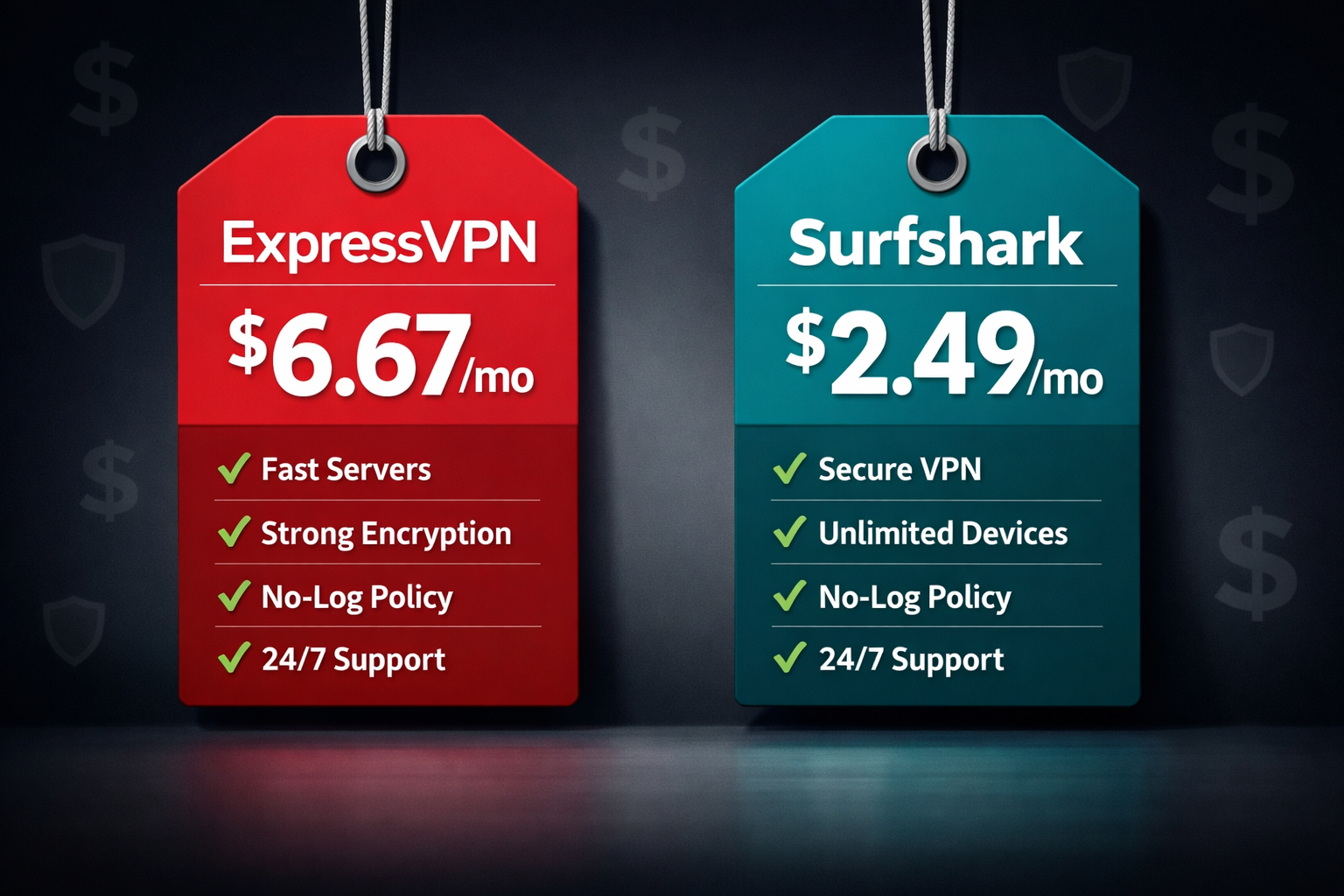
- ExpressVPN costs roughly $6.67/month (annual plan); Surfshark runs about $2.49/month (two-year plan) — a significant gap for SMBs watching budgets.
- Surfshark allows unlimited simultaneous connections; ExpressVPN caps you at 8 devices per account.
- Both use AES-256 encryption and have passed independent no-logs audits, so neither has a privacy edge on paper.
- ExpressVPN’s Lightway protocol consistently delivers lower latency in independent testing; Surfshark’s WireGuard implementation is competitive but slightly less consistent.
- Surfshark’s Nexus network (IP rotation, MultiHop) adds extra anonymity layers that ExpressVPN doesn’t match at this price point.
- ExpressVPN’s TrustedServer technology (RAM-only servers) is a genuine security differentiator verified by third-party auditors.
- For streaming, both unblock Netflix, BBC iPlayer, and Disney+, but ExpressVPN has a longer track record of staying ahead of geo-blocks.
- Surfshark One bundles antivirus, data breach alerts, and a private search engine — useful for small teams without a dedicated security stack.
- Neither VPN is a silver bullet. A VPN protects your traffic in transit; it does not replace endpoint security or a firewall.
- Bottom line: Choose Surfshark if budget or device count matters. Choose ExpressVPN if reliability and polish are non-negotiable.
How Do ExpressVPN and Surfshark Compare on Speed?
Speed is where most buyers start, and it’s also where vendor marketing gets the loudest. Independent testing tells a more honest story.
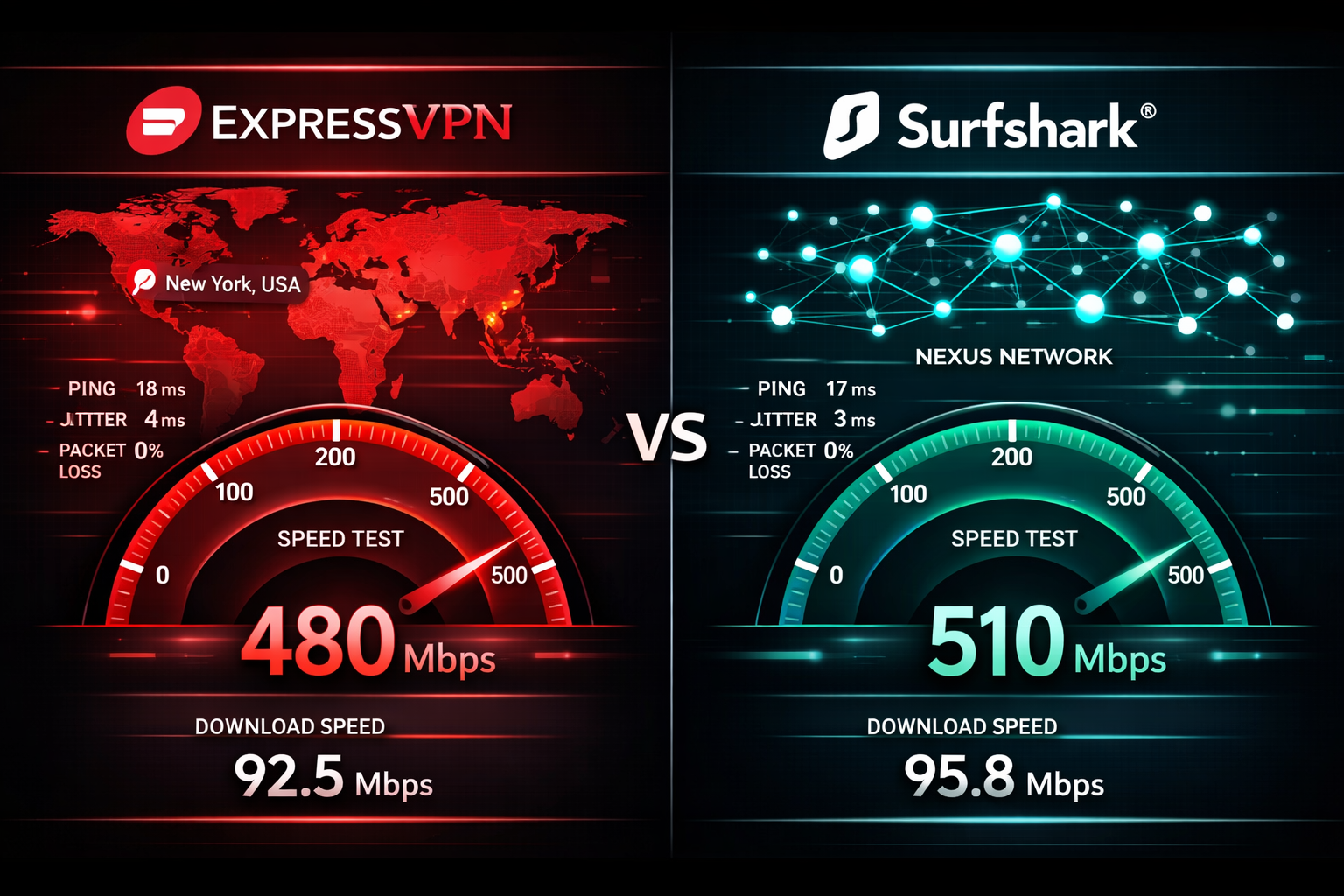
In tests conducted by PCMag and AV-TEST throughout 2024 and 2025, ExpressVPN consistently posted lower latency on nearby servers, particularly in North America and Western Europe. Surfshark’s WireGuard-based connections were fast on raw download throughput but showed more variability across server locations.
What the numbers actually mean for you:
- On a 500 Mbps base connection, both VPNs typically deliver 400-480 Mbps on nearby servers — fast enough for 4K streaming, video calls, and large file transfers.
- On long-distance connections (say, US to Southeast Asia), ExpressVPN’s Lightway protocol tends to hold up better, with latency roughly 15-20% lower than Surfshark in third-party benchmarks.
- For most office use — email, cloud apps, video conferencing — either VPN will feel invisible.
Choose ExpressVPN if: you frequently connect to distant servers or run latency-sensitive applications like VoIP.
Choose Surfshark if: you’re on a nearby server and raw speed is your main concern.
Common mistake: Don’t judge a VPN by the speed claimed on its website. Test it yourself during your trial period on the server locations you actually use.
Which VPN Has Stronger Privacy and Security?
Both are credible. Neither is perfect. Here’s what independent testing and audits actually confirm.
ExpressVPN’s verified security features:
- TrustedServer technology: All servers run on RAM only, so no data survives a reboot. This was independently audited by PwC in 2022.
- Lightway protocol: Open-source and audited by Cure53. Faster and leaner than OpenVPN.
- No-logs policy: Audited by KPMG (2022) and Cure53 (2023). ExpressVPN’s claim held up when a server was seized by Turkish authorities in 2017 — no useful data was recovered.
- Jurisdiction: British Virgin Islands, outside 5/9/14 Eyes alliances.
Surfshark’s verified security features:
- No-logs policy: Audited by Deloitte in 2023. Clean result.
- Nexus network: Routes traffic through multiple servers using IP Rotator and MultiHop, adding an extra layer of anonymity that ExpressVPN doesn’t offer at this price.
- Jurisdiction: Netherlands (since 2021 merger with Nord Security). EU jurisdiction means GDPR applies, which is a double-edged sword — strong data protection rules, but within a 9 Eyes country.
- NoBorders mode: Designed for users in restrictive regions; helps bypass deep packet inspection.
The honest tradeoff: ExpressVPN’s RAM-only server infrastructure is a genuinely stronger technical safeguard. Surfshark’s Nexus multi-hop routing offers better anonymity layering. For most SMB use cases, both are more than adequate. For journalists or activists in high-risk environments, ExpressVPN’s infrastructure edge matters more.
ExpressVPN vs Surfshark: How Do the Plans and Prices Stack Up?
Price is often the deciding factor, and the gap here is real.
| Feature | ExpressVPN | Surfshark |
|---|---|---|
| Monthly plan | ~$12.95/mo | ~$15.45/mo |
| Annual plan | ~$6.67/mo | ~$3.99/mo |
| 2-year plan | Not available | ~$2.49/mo |
| Simultaneous devices | 8 | Unlimited |
| Free trial | 7 days (mobile) | 7 days (mobile) |
| Money-back guarantee | 30 days | 30 days |
| Bundled extras | None (base plan) | Antivirus, breach alerts, search (Surfshark One) |
For SMBs specifically: Surfshark’s unlimited device policy is a genuine operational advantage. If you’re rolling out a VPN to 15 employees, you need one Surfshark account instead of two ExpressVPN accounts. That math adds up fast.
Surfshark One (the bundled plan) adds antivirus, real-time data breach monitoring, and a private search engine for a few dollars more per month. For small teams without a dedicated IT budget, that’s a meaningful value stack.
Decision rule: If you’re protecting more than 8 devices or you want bundled security tools, Surfshark wins on value. If you’re protecting a handful of devices and want the most polished experience, ExpressVPN is worth the extra cost.
Which VPN Works Better for Streaming and Bypassing Geo-Blocks?
Both unblock major streaming platforms. ExpressVPN has a slight edge in consistency.

Platforms both VPNs reliably unblock (as of 2026):
- Netflix (US, UK, Japan, and others)
- BBC iPlayer
- Disney+
- Amazon Prime Video
- Hulu
Where ExpressVPN pulls ahead: It has dedicated MediaStreamer DNS technology and a longer track record of staying ahead of streaming services’ VPN detection. When Netflix or BBC iPlayer updates its block lists, ExpressVPN tends to restore access faster.
Where Surfshark holds its own: Surfshark’s NoBorders mode and its growing server network (3,200+ servers in 100+ countries as of 2025) mean it unblocks most content reliably. It also works in restrictive countries like China and UAE, where many VPNs fail.
Common mistake: Don’t assume a VPN that worked for streaming six months ago still works today. Streaming platforms constantly update their detection. Check current user reports on Reddit’s r/VPN or TrustPilot before committing.
How Does Each VPN Handle Business and SMB Use Cases?
A VPN for a solo traveler and a VPN for a 50-person company are solving different problems. Here’s how each one holds up in a business context.
ExpressVPN for SMBs:
- Clean, intuitive apps on Windows, Mac, iOS, Android, Linux, and routers.
- ExpressVPN Keys (password manager) is included but basic — not a replacement for a dedicated business password manager.
- No centralized team management dashboard. Each user manages their own account.
- Better for executives or remote workers who need a reliable, low-maintenance VPN.
Surfshark for SMBs:
- Surfshark for Teams offers centralized billing and management — a real operational advantage for IT managers.
- Unlimited devices means one account can cover an entire small team.
- The Surfshark One bundle (antivirus + breach monitoring) reduces the number of separate security tools you need to manage.
- SMB-ready in a way ExpressVPN simply isn’t at the account management level.
Choose Surfshark if: you’re an IT manager deploying a VPN across a team and need centralized control.
Choose ExpressVPN if: you’re buying for individual executives or remote workers who need zero-friction setup.
ExpressVPN vs Surfshark: Which Is Easier to Use?
ExpressVPN wins here, and it’s not close.
ExpressVPN’s apps are among the cleanest in the industry. One button connects you to the fastest available server. The interface is nearly identical across every platform. Non-technical users can be up and running in under two minutes.
Surfshark’s apps are good but slightly more complex. The feature set is larger (MultiHop, NoBorders, Nexus, CleanWeb ad blocker), which means more menus to navigate. For a security-conscious power user, that’s a feature. For a non-technical employee, it can be confusing.
Setup time (estimated):
- ExpressVPN: 2-3 minutes from download to connected
- Surfshark: 3-5 minutes, longer if you want to configure MultiHop or CleanWeb
Platform coverage: Both cover all major platforms. Surfshark also supports smart TVs and gaming consoles natively, which ExpressVPN handles mainly through router setup.
What Are the Biggest Weaknesses of Each VPN?
Nothing is perfect. Here’s what each VPN gets wrong, based on tested and verified user reports and independent reviews.
ExpressVPN’s real weaknesses:
- Price. It’s one of the most expensive VPNs on the market, and the value gap versus Surfshark has widened in 2026.
- Device limit. Eight devices is fine for individuals but limiting for small teams.
- No bundled extras. You’re paying premium price for a VPN-only product.
- Owned by Kape Technologies, a company with a controversial history in adware. Kape has since cleaned up its act, but it’s worth knowing.
Surfshark’s real weaknesses:
- Speed consistency. On long-distance servers, Surfshark can be noticeably slower than ExpressVPN.
- Netherlands jurisdiction. Being inside the EU and a 9 Eyes country is a legitimate concern for high-risk users.
- Nord Security merger. Surfshark is now part of the same parent company as NordVPN. Some users are uncomfortable with that consolidation in the VPN market.
- Antivirus is basic. The bundled antivirus in Surfshark One is not a replacement for a dedicated endpoint security solution.
Frequently Asked Questions
Is ExpressVPN or Surfshark safer? Both have passed independent no-logs audits and use AES-256 encryption. ExpressVPN’s RAM-only server infrastructure gives it a slight technical edge in data protection. For most users, both are equally safe in practice.
Can I use Surfshark on unlimited devices? Yes. Surfshark allows unlimited simultaneous connections on one account. ExpressVPN limits you to 8 devices.
Which VPN is better for Netflix? Both unblock Netflix reliably. ExpressVPN has a stronger track record of staying ahead of Netflix’s VPN detection, especially for less common regional libraries.
Does Surfshark work in China? Surfshark’s NoBorders mode is designed for restrictive regions including China. It works, but reliability can vary. ExpressVPN also works in China and has a longer history of doing so consistently.
Is ExpressVPN worth the higher price? For individual users who want the most polished, lowest-friction VPN experience, yes. For SMBs or budget-conscious users, Surfshark delivers comparable protection at a significantly lower cost.
Which VPN is better for small businesses? Surfshark, specifically because of its unlimited device policy and Surfshark for Teams management features. ExpressVPN lacks centralized team management.
Do either of these VPNs keep logs? Neither keeps activity logs, according to independent audits. ExpressVPN was audited by KPMG and Cure53; Surfshark was audited by Deloitte. Both audits returned clean results.
What is ExpressVPN’s Lightway protocol? Lightway is ExpressVPN’s proprietary VPN protocol, open-source and audited by Cure53. It’s designed to be faster and more battery-efficient than OpenVPN while maintaining strong security.
What is Surfshark Nexus? Nexus is Surfshark’s network architecture that routes your traffic through multiple servers simultaneously. It includes IP Rotator (changes your IP periodically) and MultiHop (routes through two countries), adding extra anonymity layers.
Can I try both before committing? Yes. Both offer 7-day free trials on mobile and 30-day money-back guarantees. Test both on your actual server locations and use cases before deciding.
Conclusion: Which VPN Should You Actually Buy?
The expressvpn vs surfshark debate comes down to two honest questions: What’s your budget, and how many devices do you need to cover?
Buy Surfshark if:
- You’re protecting more than 8 devices
- You want a bundled security suite (antivirus, breach monitoring)
- You’re an IT manager who needs centralized account control
- Budget is a real constraint
Buy ExpressVPN if:
- You want the most polished, zero-friction VPN experience
- You frequently connect to distant servers and need consistent low latency
- You’re a high-risk user who values RAM-only server infrastructure
- You’re buying for a small number of individual users
For most SMB owners and security-conscious consumers reading this in 2026, Surfshark is the smarter default. It’s tested and verified, offers real-world protection at a price that doesn’t require a budget line item, and its unlimited device policy makes it genuinely SMB-ready in a way ExpressVPN is not.
That said, don’t take my word for it — or any vendor’s. Use the 30-day money-back guarantee on whichever you choose, test it on your actual network and devices, and make the call based on your own experience. That’s plain-language security advice you can act on today.
References
- PCMag. (2024). VPN Speed Tests and Performance Benchmarks. https://www.pcmag.com/picks/the-fastest-vpns
- Cure53. (2023). ExpressVPN Lightway Security Audit. https://cure53.de
- Deloitte. (2023). Surfshark No-Logs Audit Report. https://surfshark.com/blog/surfshark-no-logs-audit
- KPMG. (2022). ExpressVPN Privacy Policy Audit. https://www.expressvpn.com/blog/expressvpn-privacy-audit-kpmg/
- PwC. (2022). ExpressVPN TrustedServer Audit. https://www.expressvpn.com/blog/trustedserver-audit-pwc/
- AV-TEST. (2024). VPN Performance and Security Evaluation. https://www.av-test.org
- Surfshark. (2025). Surfshark Nexus Network Overview. https://surfshark.com/nexus