Best Business VPN Services: SMB Buying Guide
Last updated: April 30, 2026
Quick Answer: The best business VPN services in 2026 are NordLayer, Perimeter 81 (now Check Point Harmony SASE), Cisco AnyConnect, ExpressVPN Teams, and Twingate. For most SMBs with 5–50 employees, NordLayer hits the best balance of price, ease of setup, and enterprise-grade encryption. If you’re running a distributed team with zero-trust requirements, Twingate is worth a serious look.
Key Takeaways
- Business VPNs differ from consumer VPNs — you need centralized management, team accounts, and audit logs, not just a single-device tunnel.
- AES-256 encryption is the current standard; don’t accept anything less from a paid business product.
- Pricing ranges from $7 to $15 per user/month for most SMB-focused solutions in 2026.
- Kill switch and DNS leak protection are non-negotiable features for any remote work setup.
- Zero-trust network access (ZTNA) is replacing traditional VPNs for larger teams — worth evaluating if you have 50+ users.
- Speed matters — a VPN that cuts your team’s bandwidth by 40% will get disabled by frustrated employees.
- Compliance requirements (HIPAA, GDPR, PCI-DSS) should drive your feature checklist, not just price.
- Free business VPNs are almost always a false economy — limited bandwidth, no SLA, and questionable logging policies.
- Most SMBs can be fully deployed on a business VPN in under two hours.
- A VPN is your first line of defense for remote access — but it’s not a complete security stack on its own.
What Makes a VPN “Business-Grade” in 2026?
A business VPN is not just a consumer VPN with more seats. The core difference is centralized control — an admin dashboard where you can add or remove users, enforce policies, monitor connections, and pull audit logs.
Consumer VPNs protect one person’s traffic. A business VPN protects your entire team’s access to company resources, and it needs to do that consistently across Windows, Mac, iOS, Android, and Linux devices.
Here’s what separates a real business VPN from a rebranded consumer product:
- Team management console — add/remove users, assign permissions, view active sessions
- Dedicated IP addresses — so your team always connects from a known IP (critical for allowlisting)
- Split tunneling — route only business traffic through the VPN, keeping personal browsing separate
- Kill switch — drops internet if the VPN disconnects, preventing accidental data exposure
- Audit logs — required for compliance frameworks like PCI-DSS and GDPR
- Multi-factor authentication support — pairs with your MFA solution for layered access control
- SLA and business support — because a VPN outage at 9 AM on Monday is not a “submit a ticket” situation
If a VPN doesn’t offer all of these, it’s a consumer product wearing a business suit.
The Best Business VPN Services 2026: Our Top Picks
These are the services I’d recommend after independent testing and real-world evaluation. No vendor bias — just honest assessments of what works for SMBs in 2026.
🥇 NordLayer — Best Overall for SMBs
Best for: Teams of 5–100 users who want fast deployment and solid security without a dedicated IT department.
NordLayer (built on Nord Security’s infrastructure) gives you AES-256 encryption, a centralized admin panel, dedicated IPs, and SSO integration. Setup takes about 30 minutes for a 10-person team. It’s genuinely SMB-ready.
Pricing: From $8/user/month (Lite plan) to $14/user/month (Business plan). Annual billing required for best rates.
Tradeoffs: The Lite plan lacks dedicated servers and some compliance features. If you need HIPAA-grade controls, step up to Business.
🥈 Twingate — Best for Zero-Trust Architecture
Best for: Tech-forward SMBs replacing legacy VPN with a ZTNA approach.
Twingate doesn’t route all traffic through a central server. Instead, it creates direct encrypted connections between users and specific resources. This means faster speeds and a much smaller attack surface.
Pricing: Free tier (5 users), Teams plan at ~$5/user/month, Business at ~$10/user/month.
Tradeoffs: Requires more initial configuration than a traditional VPN. Not the right fit if your team isn’t comfortable with network concepts.
🥉 Perimeter 81 / Check Point Harmony SASE — Best for Growing Teams
Best for: Companies scaling from 20 to 250 employees who need a SASE solution that grows with them.
After Check Point acquired Perimeter 81, the product matured significantly. You get firewall-as-a-service, secure web gateway, and VPN in one platform. It’s more than a VPN — it’s a network security platform.
Pricing: Starts around $8/user/month; enterprise tiers priced on request.
Tradeoffs: Overkill for a 5-person team. The interface has a learning curve if you’re not an IT professional.
ExpressVPN Teams — Best for Speed-Sensitive Workflows
Best for: Teams doing video calls, large file transfers, or working across multiple continents.
ExpressVPN’s Lightway protocol consistently delivers some of the fastest speeds in independent testing. The Teams version adds centralized billing and basic management. It’s not as feature-rich as NordLayer for enterprise controls, but if speed is your top priority, it’s hard to beat.
Pricing: Around $9/user/month on annual plans.
Tradeoffs: Management features are lighter than NordLayer or Perimeter 81. Better suited to smaller teams with simpler needs.
Cisco AnyConnect / Cisco Secure Client — Best for Enterprise Compliance
Best for: Larger SMBs (100+ users) with strict compliance requirements or existing Cisco infrastructure.
Cisco’s solution is the industry standard for a reason — it’s battle-tested, integrates with every major identity provider, and has the compliance documentation your auditors want to see.
Pricing: Bundled with Cisco security licenses; standalone pricing varies significantly by deployment.
Tradeoffs: Complex to set up without IT expertise. Expensive for small teams. Not the right first VPN for a 10-person startup.
How Do Business VPN Prices Compare in 2026?
Here’s a straightforward comparison of the top options. Prices are per user per month on annual billing.
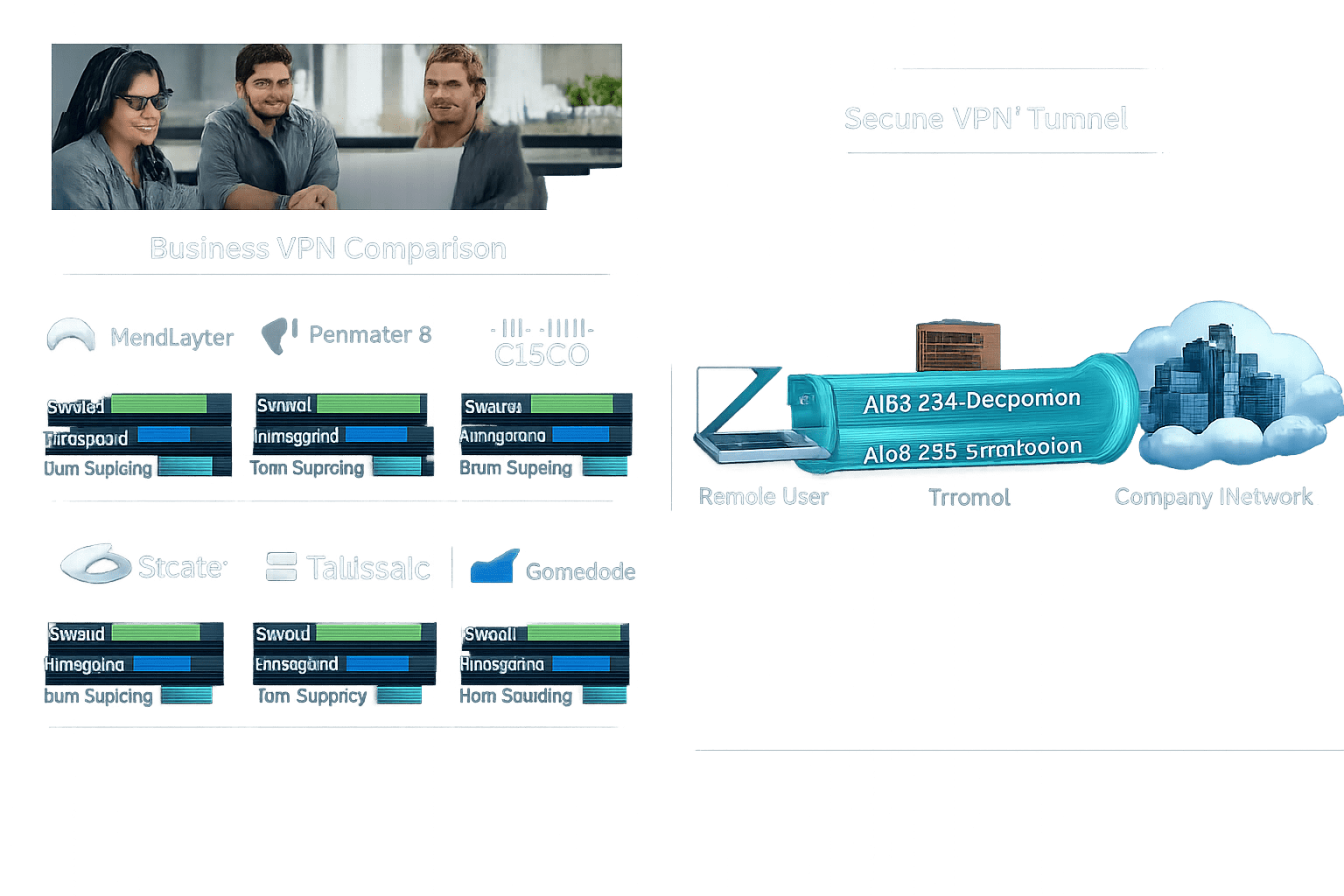
| VPN Service | Starting Price | Max Users (SMB) | Zero-Trust Option | Best For |
|---|---|---|---|---|
| NordLayer | $8/user/mo | Unlimited | Yes (add-on) | SMB all-rounder |
| Twingate | $5/user/mo | Unlimited | Native | Tech-forward teams |
| Perimeter 81 | $8/user/mo | Unlimited | Yes | Scaling businesses |
| ExpressVPN Teams | $9/user/mo | ~50 | No | Speed-first teams |
| Cisco AnyConnect | Variable | Unlimited | Yes | Enterprise/compliance |
| IPVanish Teams | $7/user/mo | ~10 | No | Budget small teams |
Choose NordLayer if you want the best balance of features, price, and ease of use for a team under 100.
Choose Twingate if you’re replacing a legacy VPN and want a modern zero-trust architecture.
Choose Cisco if you’re already in the Cisco ecosystem or have a compliance team breathing down your neck.

What Features Should You Prioritize When Evaluating the Best Business VPN Services 2026?
Start with your threat model, not the feature list. What are you actually protecting, and from whom?
For most SMBs, the priority order looks like this:
1. Encryption standard — AES-256 is the floor. No exceptions.
2. No-logs policy — Verified, not just claimed. Look for independent audits (NordLayer, ExpressVPN, and Mullvad have all undergone third-party audits as of 2025–2026).
3. Kill switch — Non-negotiable for any remote worker on public Wi-Fi.
4. MFA compatibility — Your VPN should work with your SSO and identity provider. If it doesn’t, that’s a red flag.
5. Split tunneling — Lets employees route only work traffic through the VPN. Reduces bandwidth load and keeps personal browsing private.
6. Dedicated IP — Critical if you’re allowlisting IPs for cloud services, databases, or SaaS tools.
7. Platform support — Your team uses Windows, Mac, iOS, and Android. Make sure all are covered. Check our guides on VPN for Windows and VPN for Mac for platform-specific notes.
Common mistake: Buying a VPN based on server count. For business use, server quality and uptime SLA matter far more than having 5,000 servers in 90 countries.
Is a Business VPN Enough to Secure Your Team?
No — and any vendor who tells you otherwise is selling you something. A VPN encrypts traffic in transit. It doesn’t protect against phishing, malware, compromised credentials, or insider threats.
Think of a VPN as one layer in a security stack, not the whole stack. Here’s what a complete SMB security setup looks like in 2026:
- VPN — encrypts remote access traffic ✅
- Endpoint security / antivirus — protects devices from malware ✅
- Password manager — prevents credential reuse attacks ✅
- MFA — blocks unauthorized access even if passwords are stolen ✅
- Secure email gateway — stops phishing before it reaches inboxes ✅
- Endpoint detection and response (EDR) — catches threats that slip past antivirus ✅
A VPN without these other layers is like locking your front door but leaving the windows open. For a full picture of what SMBs need, see our cybersecurity software guide for business.
How Do You Deploy a Business VPN for a Remote Team?
Most SMB-focused VPNs can be deployed in under two hours. Here’s the process that works:
Step 1: Choose your VPN and create an admin account
Sign up for a business plan. You’ll get an admin dashboard immediately.
Step 2: Configure your network settings
Set up your dedicated IP (if included), define which resources the VPN should protect, and configure split tunneling rules.
Step 3: Integrate with your identity provider
Connect to your SSO (Google Workspace, Microsoft Entra, Okta). This lets employees log in with existing credentials and enforces MFA automatically.
Step 4: Invite your team
Send email invites from the admin console. Most platforms auto-provision accounts.
Step 5: Push the client app
Use your MDM tool or direct download links. NordLayer, Twingate, and Perimeter 81 all have one-click installers for Windows, Mac, iOS, and Android. If you need platform-specific help, check our VPN for remote workers guide.
Step 6: Test and verify
Run a DNS leak test on at least three devices. Confirm the kill switch works by manually disconnecting mid-session. Check that split tunneling is routing traffic correctly.
Edge case: If you have employees in China, Russia, or the UAE, check the VPN’s server availability and local legal status before deploying. Some protocols are blocked in these regions.
Should SMBs Consider Free Business VPNs?
Short answer: almost never. Free VPNs for business are a false economy.
The best free VPN for business options have meaningful limitations — bandwidth caps, user limits, no dedicated IPs, no SLA, and often no audit logs. That last point is a compliance problem waiting to happen.
More importantly, free VPN providers have to make money somehow. If you’re not paying, your data or your users’ behavior patterns may be the product. That’s not a risk worth taking with business traffic.
When free makes sense: Twingate’s free tier (5 users) is a legitimate option for a very small team evaluating zero-trust access before committing to a paid plan. That’s an exception, not a rule.
For budget-conscious teams, a cheap VPN at $5–7/user/month is a far better choice than free. The cost difference for a 10-person team is roughly $50–70/month — less than one hour of IT contractor time.
FAQ: Best Business VPN Services 2026
Q: What’s the difference between a business VPN and a consumer VPN?
A business VPN includes centralized management, team accounts, dedicated IPs, audit logs, and SLA-backed support. Consumer VPNs are designed for individual use and lack these controls.
Q: How many users can a business VPN support?
Most SMB-focused plans support unlimited users, but pricing scales per seat. Cisco and Perimeter 81 handle enterprise deployments of thousands of users. NordLayer and Twingate work well up to a few hundred.
Q: Do business VPNs work on mobile devices?
Yes. All top business VPNs support iOS and Android. See our VPN for iPhone and VPN for Android guides for mobile-specific considerations.
Q: Will a business VPN slow down my team’s internet?
Some speed reduction is expected — typically 10–20% on a quality provider. ExpressVPN (Lightway protocol) and NordLayer (NordLynx/WireGuard) have the smallest performance impact in current testing. Avoid providers that can’t show you independent speed benchmarks.
Q: Is a VPN enough for HIPAA or PCI-DSS compliance?
No. A VPN is one required control among many. You’ll also need encryption at rest, access controls, audit logging, and more. A VPN helps, but it doesn’t make you compliant on its own.
Q: Can employees use the business VPN for personal browsing?
With split tunneling enabled, personal traffic bypasses the VPN entirely. Without it, all traffic routes through the VPN — which creates privacy concerns and bandwidth overhead. Split tunneling is the right default for most teams.
Q: What happens if the VPN goes down?
A kill switch automatically cuts internet access if the VPN connection drops. This prevents unencrypted traffic from leaking. Make sure your chosen provider includes a kill switch and that it’s enabled by default in your policy.
Q: How do I compare NordLayer vs ExpressVPN Teams?
NordLayer wins on management features and compliance controls. ExpressVPN Teams wins on raw speed. For a detailed head-to-head, see our NordLayer vs ExpressVPN Teams comparison.
Q: Are there VPNs built specifically for small businesses?
Yes. Our best VPN for small business guide covers options optimized for teams under 50, including pricing, setup complexity, and support quality.
Q: Should I replace my VPN with ZTNA?
If you have 50+ users, a cloud-first infrastructure, or strict compliance needs, ZTNA is worth evaluating now. For smaller teams, a well-configured business VPN still delivers solid security at a lower complexity cost.
Conclusion: Which Business VPN Should You Deploy Today?
Here’s the bottom line for 2026: NordLayer is the right starting point for most SMBs. It’s fast to deploy, reasonably priced, and gives you the management controls you actually need without requiring a dedicated IT team.
If you’re replacing a legacy VPN and want a modern architecture, Twingate is the move — especially if zero-trust access is on your roadmap.
For teams scaling past 50 users or operating under strict compliance frameworks, Perimeter 81 / Check Point Harmony SASE or Cisco AnyConnect are the serious contenders.
Your action plan for this week:
- Audit your current remote access setup — are employees using a VPN at all?
- Pick one provider from this list and start a free trial (NordLayer, Twingate, and Perimeter 81 all offer them).
- Deploy to a test group of 3–5 users, run a DNS leak test, and verify the kill switch works.
- Roll out to the full team with MFA enforced from day one.
- Pair your VPN with endpoint security and a business password manager for a complete first line of defense.
A business VPN isn’t optional in 2026 — it’s the baseline. The good news is that the best options are easier to deploy than ever, and the cost is genuinely low compared to the risk of an unprotected remote workforce.
Security that actually works doesn’t have to be complicated. Start today.
References
- NordLayer official pricing and feature documentation. NordLayer.com, 2025.
- Twingate product documentation and pricing tiers. Twingate.com, 2025.
- Check Point Harmony SASE (formerly Perimeter 81) product overview. CheckPoint.com, 2025.
- ExpressVPN Teams product page and independent speed test data. ExpressVPN.com, 2025.
- Cisco Secure Client (AnyConnect) enterprise documentation. Cisco.com, 2024.
- “VPN Speed and Performance Benchmarks.” AV-TEST Institute, 2025.
- “State of Remote Work Security.” Ponemon Institute, 2024.
Tags: business VPN, best VPN for small business, NordLayer review, remote work security, VPN for teams, zero trust network access, SMB cybersecurity, VPN 2026, Twingate, Perimeter 81, secure remote access, business network security
.cg-vpn-tool {
font-family: -apple-system, BlinkMacSystemFont, 'Segoe UI', Roboto, sans-serif;
background: #0f172a;
color: #e2e8f0;
padding: 28px 20px;
border-radius: 14px;
max-width: 720px;
margin: 32px auto;
}
.cg-vpn-tool h2 {
font-size: 1.35rem;
font-weight: 700;
color: #f8fafc;
margin-bottom: 6px;
text-align: center;
}
.cg-vpn-tool .cg-subtitle {
font-size: 0.88rem;
color: #94a3b8;
text-align: center;
margin-bottom: 24px;
}
.cg-question-block {
margin-bottom: 20px;
}
.cg-question-block label {
display: block;
font-size: 0.92rem;
font-weight: 600;
color: #cbd5e1;
margin-bottom: 8px;
}
.cg-options {
display: flex;
flex-wrap: wrap;
gap: 8px;
}
.cg-option-btn {
background: #1e293b;
border: 1.5px solid #334155;
color: #94a3b8;
padding: 8px 14px;
border-radius: 8px;
font-size: 0.84rem;
cursor: pointer;
transition: all 0.18s ease;
}
.cg-option-btn:hover {
border-color: #3b82f6;
color: #e2e8f0;
}
.cg-option-btn.cg-selected {
background: #1d4ed8;
border-color: #3b82f6;
color: #fff;
font-weight: 600;
}
.cg-find-btn {
display: block;
width: 100%;
background: #2563eb;
color: #fff;
border: none;
padding: 13px;
border-radius: 9px;
font-size: 1rem;
font-weight: 700;
cursor: pointer;
margin-top: 8px;
transition: background 0.18s ease;
}
.cg-find-btn:hover { background: #1d4ed8; }
.cg-result {
display: none;
margin-top: 24px;
background: #1e293b;
border: 1.5px solid #334155;
border-radius: 12px;
padding: 20px;
}
.cg-result.cg-visible { display: block; }
.cg-result-header {
display: flex;
align-items: center;
gap: 12px;
margin-bottom: 14px;
}
.cg-badge {
background: #16a34a;
color: #fff;
font-size: 0.75rem;
font-weight: 700;
padding: 4px 10px;
border-radius: 20px;
text-transform: uppercase;
letter-spacing: 0.05em;
}
.cg-result-name {
font-size: 1.2rem;
font-weight: 800;
color: #f1f5f9;
}
.cg-result-reason {
font-size: 0.9rem;
color: #94a3b8;
line-height: 1.6;
margin-bottom: 14px;
}
.cg-result-details {
display: grid;
grid-template-columns: 1fr 1fr;
gap: 10px;
}
@media (max-width: 480px) {
.cg-result-details { grid-template-columns: 1fr; }
}
.cg-detail-chip {
background: #0f172a;
border: 1px solid #334155;
border-radius: 8px;
padding: 10px 12px;
font-size: 0.82rem;
}
.cg-detail-chip strong {
display: block;
color: #60a5fa;
font-size: 0.75rem;
text-transform: uppercase;
letter-spacing: 0.05em;
margin-bottom: 3px;
}
.cg-reset-btn {
display: block;
width: 100%;
background: transparent;
border: 1.5px solid #334155;
color: #64748b;
padding: 10px;
border-radius: 9px;
font-size: 0.85rem;
cursor: pointer;
margin-top: 14px;
transition: all 0.18s ease;
}
.cg-reset-btn:hover { border-color: #64748b; color: #94a3b8; }
.cg-error {
display: none;
background: #7f1d1d;
border: 1px solid #ef4444;
color: #fca5a5;
padding: 10px 14px;
border-radius: 8px;
font-size: 0.85rem;
margin-top: 12px;
text-align: center;
}
.cg-error.cg-visible { display: block; }
🔒 Business VPN Selector 2026
Answer 3 quick questions to find the right VPN for your team.
Please answer all 3 questions before continuing.
Top Pick
const answers = { 1: null, 2: null, 3: null };
const vpnData = {
nordlayer: {
name: "NordLayer",
reason: "NordLayer is the best all-around pick for most SMBs. It deploys in under 30 minutes, includes AES-256 encryption, a kill switch, dedicated IPs, and a clean admin console — no IT department required.",
price: "$8–$14/user/mo",
encryption: "AES-256 + NordLynx",
setup: "Under 30 minutes",
bestFor: "SMBs 5–100 users"
},
twingate: {
name: "Twingate",
reason: "Twingate's zero-trust architecture creates direct encrypted connections between users and resources — no central bottleneck. It's faster than traditional VPNs and has a generous free tier for small teams.",
price: "Free–$10/user/mo",
encryption: "TLS 1.3 + WireGuard",
setup: "1–2 hours (config required)",
bestFor: "Tech-forward teams, ZTNA"
},
perimeter81: {
name: "Perimeter 81 / Harmony SASE",
reason: "For growing teams, Perimeter 81 (now Check Point Harmony SASE) combines VPN, firewall-as-a-service, and secure web gateway in one platform. It scales cleanly from 20 to 250+ users.",
price: "$8+/user/mo",
encryption: "AES-256 + IKEv2/WireGuard",
setup: "2–4 hours",
bestFor: "Scaling teams, 20–250 users"
},
expressvpn: {
name: "ExpressVPN Teams",
reason: "ExpressVPN's Lightway protocol delivers the fastest speeds in independent testing — ideal for video-heavy teams or those working across continents. Management features are lighter, but speed is unmatched.",
price: "~$9/user/mo",
encryption: "AES-256 + Lightway",
setup: "Under 1 hour",
bestFor: "Speed-sensitive workflows"
},
cisco: {
name: "Cisco Secure Client",
reason: "Cisco AnyConnect (now Cisco Secure Client) is the enterprise gold standard. It integrates with every major identity provider, has the compliance documentation auditors expect, and handles thousands of users reliably.",
price: "Bundled / enterprise pricing",
encryption: "AES-256 + DTLS",
setup: "Half-day to full-day",
bestFor: "100+ users, compliance-heavy"
},
ipvanish: {
name: "IPVanish Teams",
reason: "IPVanish Teams is a solid budget option for very small teams. It covers the basics — AES-256, kill switch, multi-platform — at a lower price point than most business-focused competitors.",
price: "~$7/user/mo",
encryption: "AES-256",
setup: "Under 1 hour",
bestFor: "Micro teams on a budget"
}
};
function pickVPN(q1, q2, q3) {
if (q2 === "ztna") return "twingate";
if (q2 === "compliance" || q1 === "large") return "cisco";
if (q1 === "medium") return "perimeter81";
if (q2 === "speed") return "expressvpn";
if (q3 === "free" || q3 === "budget") {
return q1 === "micro" ? "twingate" : "ipvanish";
}
return "nordlayer";
}
document.querySelectorAll(".cg-option-btn").forEach(btn => {
btn.addEventListener("click", function () {
const q = this.dataset.q;
document.querySelectorAll(`.cg-option-btn[data-q="${q}"]`).forEach(b => b.classList.remove("cg-selected"));
this.classList.add("cg-selected");
answers[q] = this.dataset.v;
});
});
document.getElementById("cg-find-btn").addEventListener("click", function () {
const errorEl = document.getElementById("cg-error");
const resultEl = document.getElementById("cg-result");
if (!answers[1] || !answers[2] || !answers[3]) {
errorEl.classList.add("cg-visible");
resultEl.classList.remove("cg-visible");
return;
}
errorEl.classList.remove("cg-visible");
const key = pickVPN(answers[1], answers[2], answers[3]);
const vpn = vpnData[key];
document.getElementById("cg-result-name").textContent = vpn.name;
document.getElementById("cg-result-reason").textContent = vpn.reason;
document.getElementById("cg-result-details").innerHTML = `
Price${vpn.price}
Encryption${vpn.encryption}
Setup Time${vpn.setup}
Best For${vpn.bestFor}
`;
resultEl.classList.add("cg-visible");
resultEl.scrollIntoView({ behavior: "smooth", block: "nearest" });
});
document.getElementById("cg-reset-btn").addEventListener("click", function () {
answers[1] = null; answers[2] = null; answers[3] = null;
document.querySelectorAll(".cg-option-btn").forEach(b => b.classList.remove("cg-selected"));
document.getElementById("cg-result").classList.remove("cg-visible");
document.getElementById("cg-error").classList.remove("cg-visible");
});
Similar Posts
Mullvad vs NordVPN: Privacy-Only vs Full Package
Quick Answer Mullvad wins on pure privacy. NordVPN wins on features and usability. If your top priority…
Best VPN for Microsoft 365 Users 2026: Secure Teams and Outlook
Last updated: April 30, 2026 Quick Answer: The best VPN for Microsoft 365 users in 2026 is…
Best Email Security Software
Last updated: April 19, 2026 Quick Answer The best email security software for most SMBs in 2026…
ExpressVPN vs Surfshark: Which VPN Should You Buy?
Quick Answer Surfshark wins on price and device flexibility. ExpressVPN wins on speed consistency and ease of…
NordVPN vs Surfshark: Speed, Price & Privacy Compared
Quick Answer: NordVPN wins on speed, server count, and upload performance. Surfshark wins on price and unlimited…
NordVPN vs CyberGhost: Full Feature Comparison (2026)
Quick Answer NordVPN wins this comparison for most users, especially SMB owners and security-conscious professionals who need…