What Are Computer Worms and How Do You Stop Them?
In the same way that having worms in your body is harmful to your health, having a computer worm in your equipment can’t be good news. Since we aren’t doctors, we can’t tell you anything about biological worms, but we can talk to you about computer worms.

How do you prevent computer worms? That’s something we can discuss, and that’s exactly what we’ll do in this article. What is a computer worm? What kind of damage can it cause? How do we get rid of it? All of that will be covered right here.
What is a computer worm and how to prevent it?
What Is a Worm in a Computer?
A computer worm is, by definition, a form of malware. What makes it most distinctive? Its capacity for rapid spread without human involvement.
It is one of the most dangerous types of malware because once it enters your computer, smartphone, or tablet, it starts to duplicate itself.
So, how does one stop a worm from spreading through a computer system?
The following precautions can reduce the risk of infection from computer worms: Download and install all available operating system and software patches. Install a firewall to help prevent malicious programs from entering your system. Use antivirus software to block harmful programs from running.
How Does a Computer Worm Work?
Computer worms are a type of malware that can damage your devices in several ways. Some merely self-replicate to the point where they consume system memory and storage space, rendering your device useless.
Others modify or delete files, and some even install additional malicious software. Additionally, given how rapidly computer worms spread, hackers may program them to set up backdoor programs that grant access to victims’ devices. One example is the infamous WannaCry worm, also known as WannaCryptor.
How Do Worms Spread?
Computer worms exploit system flaws to spread quickly. They can move from one device to another using a variety of channels, including local area networks (LAN), malicious links, and email attachments.

Here are the principal methods through which computer worms spread:
- Networks: The internet is a convenient superhighway for computer worms to spread because the majority of devices connect through a network. Once a worm infects one device, it can propagate to other devices over the LAN.
- Emails: Have you ever received a suspicious link or attachment in an email from an unknown sender? Some hackers use this method to spread malware, including worms. Additionally, some worms can hijack email clients like Outlook to automatically send emails containing malware to recipients.
- Peer-to-peer file sharing platforms: It’s nearly impossible to know if a file you’re downloading from one of these platforms contains malware unless you know where it came from. Worms can therefore easily spread across such platforms.
- Instant messaging: Much like malicious email attachments, instant messages may contain computer worms disguised as links or attachments that appear safe to open.
- Smartphones: Because we frequently connect our phones to different Wi-Fi networks, smartphones can accelerate the spread of worms, making them excellent worm carriers.
- Removable drives: If inserted into an infected computer, a flash drive or removable hard disk may become infected. When connected to other computers, infected removable drives can then spread the worm across a network.
- Installer downloads: Are you trying to pirate a piece of software? Be cautious, since malicious software installers may be available for download from phishing websites.
- Torrents: You might believe you’re downloading a pirated movie, but it might actually be a worm. The basic message is to avoid pirating content and always use a VPN when torrenting legitimate, non-copyrighted material.
- IoT devices: It’s unsettling to consider that our smart home appliances could turn against us, but researchers say it’s a real possibility. In controlled environments, researchers have successfully used a single smart bulb to infect nearby Zigbee IoT devices with a computer worm.
How to remove virus from a computer without antivirus? (Easy Method!)
The Harm Caused by Computer Worms
Over the past few decades, computer worms have cost billions of dollars in damages. When it first appeared in 2004, the MyDoom worm alone resulted in massive economic losses.
It targeted commercial websites, resulting in a significant slowdown in services, congestion of the bandwidth, delays in productivity, and a general loss of business.
End users like us can also be harmed by computer worms. Worms can alter or erase our data, prevent us from accessing crucial directories, or negatively impact the functionality of our computers, depending on their payload, the piece of code that carries out the malware’s malicious intent.
Even worse, some hackers use worms to steal information, which can result in identity theft. We must therefore take every precaution to protect ourselves from computer worms.
Examples of Famous Computer Worms
The frightening part is that several of the major computer worm attacks from the past still exist today.

For instance, 16 years after its formation, the MyDoom worm is still actively distributing itself through email attachments; if it were a child, it would be driving by now! Other computer worms that have previously done substantial harm include the following:
- Morris worm: The first computer worm to have a significant real-world impact. It was unintentionally created in 1988 by a computer science student and crashed many of the 6,000 systems it infected.
- WannaCry/WannaCryptor: In 2017, the WannaCry worm demanded a ransom to decrypt the files of Windows users. It was ransomware distributed by a worm.
- ILOVEYOU: Also known as the “Love Bug” or “Love Letter Worm,” it spread through emails in 2000 by disguising itself as a love letter attachment. Over 10 million machines were affected.
- Nimda: The first computer worm to alter legitimate websites to deliver malicious downloads. It was distributed via mass emails and then replicated through LANs.
- Code Red: Using infected computers, the Code Red worm launched a DDoS (distributed denial of service) attack against the American White House. The White House web servers had to change IP addresses as a result.
- Blaster: This worm initially displayed messages mocking Microsoft before forcing computers to shut down.
- Sobig: The Sobig worm came in several variants. With typical subject lines like “Thank You” or “Re: Details,” it spread via email attachments. After infecting a machine, the worm sent 20 or more emails to the user’s contacts to find its next victims.
- Jerusalem/BlackBox: This worm consumed computer resources. Any software that ran on Friday the 13th of any year was deleted when it activated. It also continuously infected .exe files until they became too large for the computer to manage.
History of Computer Worms
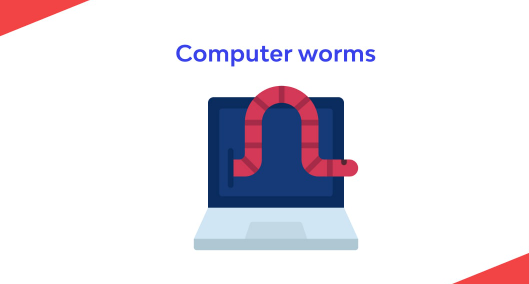
Over time, computer worms have changed. What began as a straightforward programming error made by a computer science student has evolved into a lethal hacking tool.
1. The Worm That Caused Everything
The very first computer worm to have an effect on the real world was the Morris worm (also known as The Worm), which caused mayhem in 1988.
The Morris worm, named after its creator Robert Morris, was a piece of software that exploited flaws in email protocols at the time. Its objective? To draw attention to network vulnerabilities.
The worm, however, proved to be more contagious than Morris had anticipated. It compromised about 6,000 of the 60,000 internet-connected PCs at the time in less than 24 hours.
What’s worse is that a programming error caused the malware to rapidly reproduce itself to the point where the infected machines were rendered useless. The Morris worm ultimately succeeded in exposing network flaws because it garnered a lot of media attention.
Yet at what price? In terms of money, U.S. According to the Government Accountability Office, the Morris worm may have cost up to $10 million in damages. Ouch!
2. Computer Worms as Pranks
Following the Morris worm incident, hackers employed computer worms for practical jokes for a while. For instance, on Christmas Eve 1988, the Father Christmas worm sent pleasantries over NASA’s network.
Despite being innocuous, the worm forced NASA to tighten its network security controls, which is a positive thing. Three weeks later, a similar computer worm attack was prevented thanks to the protections they put in place.
Computer worms, however, become more troublesome during the ensuing decades. Like the Father Christmas worm in 1999, the Happy99 worm disseminated over emails and flashed a New Year’s message.
However, it changed system files in the background. Similar computer worms proliferated in the early 2000s; some of them had the power to delete or edit files, steal passwords, alter websites, or even disseminate political ideologies.
3. Cybercriminals and Computer Worms
Cybercriminals eventually discovered a method to profit from computer worms, frequently at the expense of unwary users.
For instance, the aforementioned WannaCry outbreak contained ransomware that encrypted files and locked users out of their machines unless they paid a ransom.
On the other hand, some computer worms are just designed to harm. One such is the Code Red worm, which directed a DDoS assault against the American White House and ultimately had its servers change IP addresses.
Types of Computer Worms

The way that computer worms spread is typically used to classify them. The many kinds are as follows:
- Internet worms: An internet worm uses the LAN to hop from one device to another. One machine is initially compromised, after which it spreads to further vulnerable devices linked to the same internet connection.
- Email worms: An email worm poses as an attachment to an email. It can originate from a spam email or a contact who has a compromised computer. Even if it’s not always the case, you can know it’s a worm if the attachment has more than one file extension, like “. mp4.exe.” The ILOVEYOU worm is an illustration of an email worm.
- File-sharing worms: As the name implies, a file-sharing worm originates from peer-to-peer file-sharing systems. While you might believe the file you’re downloading is media or a software installation, it may actually be a computer worm that will start acting maliciously as soon as it gets into your system.
- Instant messaging (IM) worms: Similar to email worms, IM worms pose as a file attachment or a link exchanged over an IM network. In other cases, they even include clever clickbait like “This will blow your mind” or “LOL kitty” in an effort to get IM users to accidentally click on them and download the worm.
CONCLUSION
Like all forms of malware, worms may do a lot of harm. Because a computer worm spreads more quickly than other types of malware, it is particularly harmful.
Because of this, it’s essential to understand the signs of worm infection and how to get rid of worms. The greatest defense against worms, though, is still to install a reliable antivirus program. So, if you don’t already have one, we strongly advise that you do so immediately.
References:
https://www.businessinsider.com/guides/tech/what-is-a-computer-worm
Frequently Asked Questions
How can computer worms be stopped?
The risk of computer worm infections can be reduced with the following precautions: Install operating system and software updates. Use firewalls to help protect computers from malicious software. Use antivirus software to block harmful programs from running.
How does a computer get a worm?
Worms can spread through software flaws. They can also arrive as attachments in spam emails or instant messages. When these files are opened, they may connect to a malicious website or launch the computer worm automatically.
How do computer worms spread?
Computer worms often spread initially through phishing emails, malicious downloads, or social engineering scams. After the initial infection, they replicate and spread to networks and systems connected to the first victim. From there, they spread by exploiting security flaws in software and operating systems.